Text Watermarks
Add custom text overlays with full font, size, color, and opacity control to protect your product images.
Watermark is a product badges and image overlay app for Shopify. Add sale labels, new-arrival badges, trust seals, and text or logo watermarks on top of your product images — without ever modifying the original files, so your Google Shopping and product feeds stay clean and compliant.
Smart rules badge products automatically by stock level, sale status, tag or price, and scheduled campaigns start and end on their own. Free plan available for up to 3 products.


FEATURES
Everything you need to drive conversions, reduce support load, and keep operations stable.
Add text labels, badges, and image overlays with an intuitive visual editor.
Automatically badge products and show live data without manual work.
Build buyer confidence with ready-made badges and seals.
Overlays are a visual layer only — your product images are never modified.
RESULTS
Benchmarks from real merchant outcomes and optimization experiments.
Highly rated by merchants on the Shopify App Store
Free plan includes text, image & watermark overlays
Original images stay untouched and shopping-feed compliant
Start adding overlays to your products in under a minute
PRICING
Choose a plan that matches your store size. Upgrade any time.
Get started with overlays
No credit card required
Unlimited products & automation
7-day free trial
PROCESS
Set up in minutes. Validate in real-time. Improve results continuously.
Add the free app to your Shopify store. Open it from your admin panel — no setup or configuration needed.
Use the drag-and-drop editor to add text labels, badges, or image watermarks. Choose from pre-built templates or create your own.
Select which products to apply overlays to. Your original images stay untouched while customers see eye-catching badges and labels.
SUPPORT
Everything you need to set up quickly and get help when you need it.
Add product badges and image overlays, set smart rules, and schedule sale campaigns.
Read the setup guideOverlay not appearing, or scaling wrong on collection pages? Start here.
Troubleshooting guideQuestions about badge design, feed compliance or bulk rules.
Contact supportNeed help choosing the right setup? We'll guide you.


FEATURES
Add custom text overlays with full font, size, color, and opacity control to protect your product images.
Overlay your brand logo on product photos to protect intellectual property and reinforce brand identity.
Automatically apply product badges by stock level, sale status, tag, or price. Set the rule once and every matching product gets labelled without manual work.
Place watermarks exactly where you want with drag-and-drop positioning and preset layouts for perfect placement every time.
Save watermark configurations as reusable templates for consistent branding across all your products.
Schedule sale badges to appear and disappear on their own, and add trust seals that reassure buyers — originals stay clean and feed-safe throughout.
HOW IT WORKS
Add Watermark to your Shopify store and choose your watermark type — text, logo, or both.
Adjust font, size, color, opacity, and position. Save templates for reuse across products.
Apply watermarks to individual images or in bulk. New uploads get watermarked automatically.
IN DEPTH
Everything below is about what actually changes on your storefront when you add overlays — and where this app fits against the alternatives.
A shopper scanning a collection grid gives each thumbnail a fraction of a second. In that moment they are not reading your product titles or your price drops — they are pattern-matching on shape and colour. A red Sale badge or a green Free Shipping flag is the only thing on the tile that survives that glance.
That is why product badges are one of the few merchandising changes that show up in collection-page click-through almost immediately. You are not persuading anyone yet; you are just making the right products louder than the ones beside them. The badge does the filtering the shopper was going to do anyway, faster.
The catch is that most stores never ship them, because adding a badge traditionally meant opening every product photo in an image editor, exporting a second copy, re-uploading it, and then doing the whole thing again in reverse when the sale ended. Watermark exists to remove that entire loop.
This is the part that matters most and gets glossed over by nearly every app in this category. Watermark does not edit, re-encode, or replace the image file sitting in your Shopify admin. The badge is composited on top of it when the storefront renders the page.
Three practical consequences follow from that:
If what you actually want is a permanent, theft-deterrent watermark baked into the file itself, Watermark is the wrong tool and we would rather tell you that up front.
Tagging products one at a time does not survive contact with a real catalogue. Smart rules let you describe the condition instead of the product: badge anything on sale, anything with fewer than five units left, anything tagged new-in, anything above a price threshold.
The rule then keeps working on its own. A product that goes on sale on Friday gets its badge on Friday. One that sells out loses its Low Stock flag automatically. For a store adding products weekly, this is the difference between a merchandising system and a chore you stop doing after a month.
Scheduled campaigns work the same way in the time dimension — set a Black Friday badge to appear at midnight and clear itself on the Tuesday, and then stop thinking about it.
Fashion and seasonal retailers running frequent markdowns, where the sale set changes weekly and manually re-badging is not realistic. Smart rules by sale status do the whole job.
Print-on-demand sellers, photographers and artists who want a visible brand watermark deterring image scraping on the storefront while keeping a clean master file for their own use and for feeds.
Multi-brand and dropshipping catalogues where supplier photography arrives inconsistent and a uniform badge treatment is the cheapest way to make a store look like one shop rather than five.
Stores running trust-led checkout that want verified, guarantee, or free-shipping seals adjacent to product imagery rather than buried in a footer nobody scrolls to.
Install the app and open it from your Shopify admin — there is no theme code to paste and no snippet to register. Pick a badge from the library (sale, new arrival, hot deal, bestseller, free shipping, limited edition) or upload your own JPG, PNG, SVG or WebP up to 2MB.
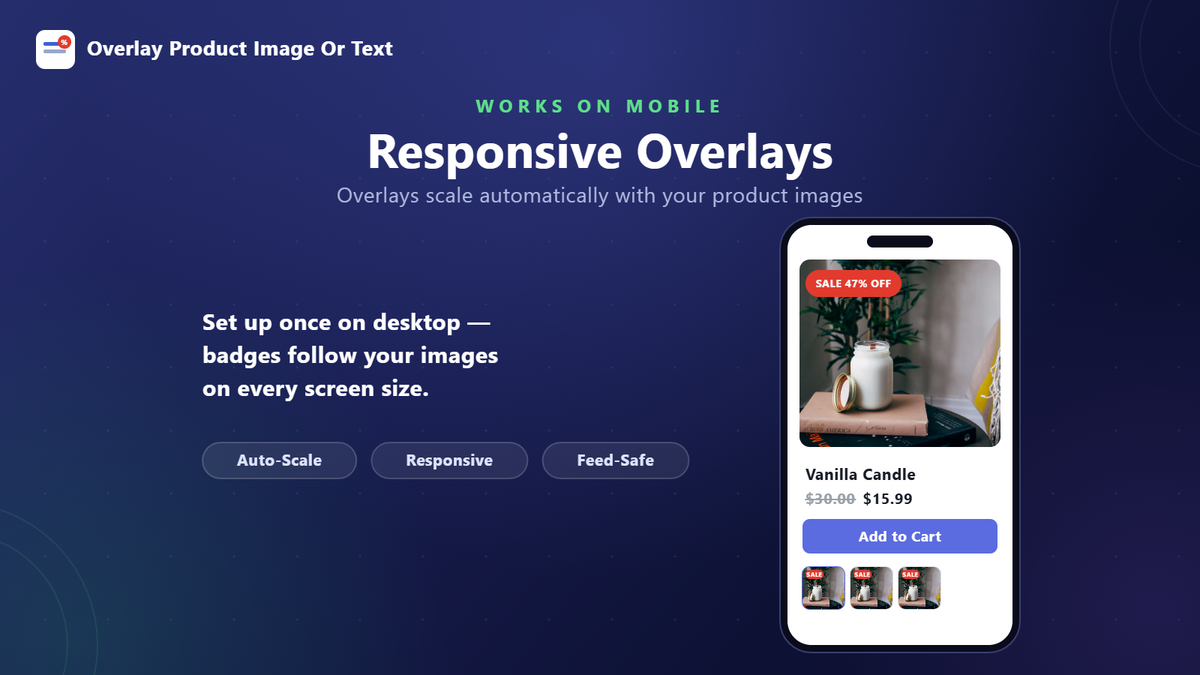
Drag it onto the preview to place it. You get nine anchor positions, full control over size, opacity and rotation from 0 to 360 degrees, and eighteen font families if you are using a text overlay. Scaling is set independently for product pages, collection pages and search results, because a badge sized for a full-width product image is illegible on a collection thumbnail.
Then choose what it applies to: every product, a hand-picked list, or a smart rule based on tags, stock or sale status. Save, and it is live. Most merchants have their first badge running in under five minutes.
The free plan covers up to three active products with text overlays, image overlays and watermarks, the full drag-and-drop editor, and mobile-responsive scaling. It is genuinely enough to badge a small hero collection or to test whether overlays move your numbers before paying anything.
You need Plus at $4.99/month the moment you want the automation rather than the badges themselves: unlimited products, smart rules that badge by stock, tag, sale status or price, scheduled campaigns with automatic start and end dates, trust badges and seals, and priority support. There is a 7-day free trial.
The honest test is catalogue size and change rate. Three static badges on a small store, stay free. A catalogue that turns over weekly, or any store running recurring promotions, will spend more than $4.99 worth of time each month doing manually what a smart rule does on its own.
The two apps most often weighed against Watermark take different approaches: one is a pure overlay tool with no free tier, the other edits the image file and keeps a restorable backup.
| Feature | Watermark (PantherCodX) | Easy Product Image Overlays | Watermarkly |
|---|---|---|---|
| Free plan | Yes — up to 3 active products | None (7-day trial only) | Yes — 50 images/mo, text only |
| Cost for unlimited products | $4.99/mo | $20/mo | $14.99/mo |
| Original image file | Never modified — overlay is a display layer | Not stated on listing | Modified; original restorable for 7–90 days |
| Built for Shopify badge | Yes | Not shown on listing | Not shown on listing |
| App Store rating | 4.6 (6 reviews) | 4.8 (9 reviews) | No reviews yet |
Compared from the public Shopify App Store listings in August 2026. Plans change — check each listing before deciding.
GUIDES
Badges and overlays that lift conversion without editing a single original image.
FAQ
No. Overlays are rendered as a display layer on top of your product images — the original files in Shopify are never modified, re-compressed, or replaced. Your images keep their full resolution and stay clean for shopping feeds.
Yes. Smart rules apply overlays automatically based on stock level, sale status, product tags, or price — so new and changing products get badged without you touching them. You can also select products manually and apply an overlay to all of them at once.
Overlays appear on your storefront wherever the product image is shown — product pages, collection grids, search results, and cart. Because the underlying file is untouched, the clean original is what goes to Google Shopping and other product feeds, keeping you feed-compliant.
Yes. Upload any PNG or SVG logo and adjust its size, opacity, rotation, and position with the drag-and-drop editor. Text overlays can also auto-fill live data such as the current price or discount percentage.
Yes. The free plan covers up to 3 active products with text, image, and watermark overlays. Plus ($4.99/mo, 7-day free trial) unlocks unlimited products plus trust badges, scheduled campaigns, smart rules, and priority support.
Yes. Remove an overlay at any time and the image returns to normal instantly — no restore step needed, because the original was never altered. You can also schedule overlays to start and end automatically, which is ideal for sale campaigns.
Install the app, pick a sale badge from the library or upload your own, drag it into position on the preview, then choose whether it applies to all products, selected products, or automatically to anything currently on sale. No theme code and no image editing — most merchants have it live in under five minutes.
No. Google Merchant Center prohibits promotional overlays on product imagery, but the file Google fetches is your original, untouched image — the badge is only composited on your storefront. That is the main reason to use an overlay app rather than editing the images themselves.
Yes — Watermark's free plan covers up to 3 active products with text overlays, image badges and watermarks, plus the full drag-and-drop editor. Plus at $4.99/month adds unlimited products, smart rules, scheduling and trust badges, with a 7-day free trial.
Yes, on the Plus plan. Set a start and end date and the badge appears and clears itself automatically — useful for Black Friday, flash sales and seasonal campaigns where you don't want to be awake at midnight toggling overlays.
Yes. Overlays render anywhere the product image appears — product pages, collection grids, search results and the home page — and you can set the scaling independently for each, so a badge sized for a full-width product image stays legible on a small collection thumbnail.
Yes. Because overlays are applied as a display layer over the product image rather than through theme code, the app works with any Shopify theme, including page builders, without custom development or a theme update breaking it.
LET'S WORK TOGETHER
Install Watermark: Image & Text Overlay today and see results in minutes. No coding required.
Technologies We Work With
 ReactJs
 Laravel
 HTML
HTML
 CSS
CSS
 JavaScript
 MongoDB
 MySQL
MySQL
 AWS
AWS
 DigitalOcean
ReactJs
Laravel
HTML
CSS
JavaScript
MongoDB
MySQL
AWS
DigitalOcean
DigitalOcean
ReactJs
Laravel
HTML
CSS
JavaScript
MongoDB
MySQL
AWS
DigitalOcean

Alert me if this item is restocked.
We often restock popular items or they may be returned by the other customers. If you would like to be notified when this happens just enter your details below.
We respect your privacy and don't share your email with anybody.
Alert me if this item is restocked
Thank you, we have now received and recorded your request to be notified should Watermark: Image & Text Overlay be restocked.
We will only use your email for this purpose.

Alert me if this item is restocked.
We often restock popular items or they may be returned by the other customers.
Watermark: Image & Text Overlay
Alert me if this item is restocked.
We often restock popular items or they may be returned by the other customers.


